
Top 5 Smart Thermostats with Room Sensors
As homes become more connected and efficient, smart thermostats have emerged as a key solution for intelligent climate control. Unlike traditional thermostats, these advanced devices utilize AI-driven learning to optimize heating and cooling, ensuring maximum comfort while minimizing energy consumption.
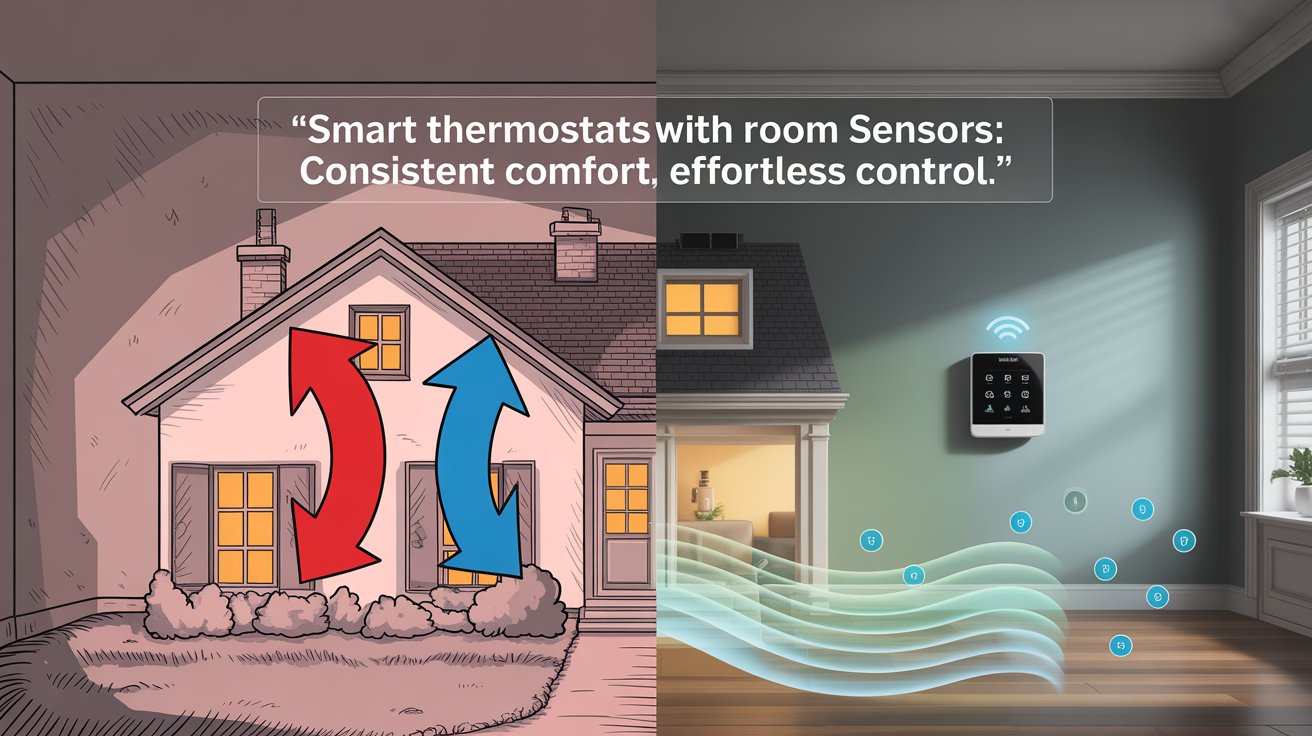
One of the most powerful features of modern smart thermostats is room sensors. These small yet highly effective devices detect temperature variations across different areas, allowing for precise adjustments based on real-time data. Without room sensors, a thermostat relies only on its location’s temperature, which may not accurately reflect conditions in other parts of the house. By incorporating multi-room monitoring, smart thermostats ensure consistent and balanced climate control throughout your home.
Investing in a smart thermostat with room sensors offers multiple benefits:
✅ Personalized comfort – Adjusts temperature based on occupancy in different rooms.
✅ Energy efficiency – Reduces unnecessary heating and cooling, lowering energy bills.
✅ Automation & remote access – Works seamlessly with Google Assistant, Alexa, and Apple HomeKit for hands-free control.
In this guide, we’ll explore the top five smart thermostats with room sensors, their advantages, and how they enhance convenience and energy savings.
Understanding Smart Thermostats with Room Sensors
What is a Smart Thermostat?
A smart thermostat is a device that learns user behavior, automates heating and cooling, and optimizes energy use through advanced AI-driven algorithms. Unlike traditional thermostats, smart thermostats can adjust settings based on real-time data, ensuring an efficient and comfortable indoor environment. They connect to Wi-Fi, voice assistants, and smart home ecosystems, allowing users to control temperature settings remotely via apps or voice commands.
What are Room Sensors?
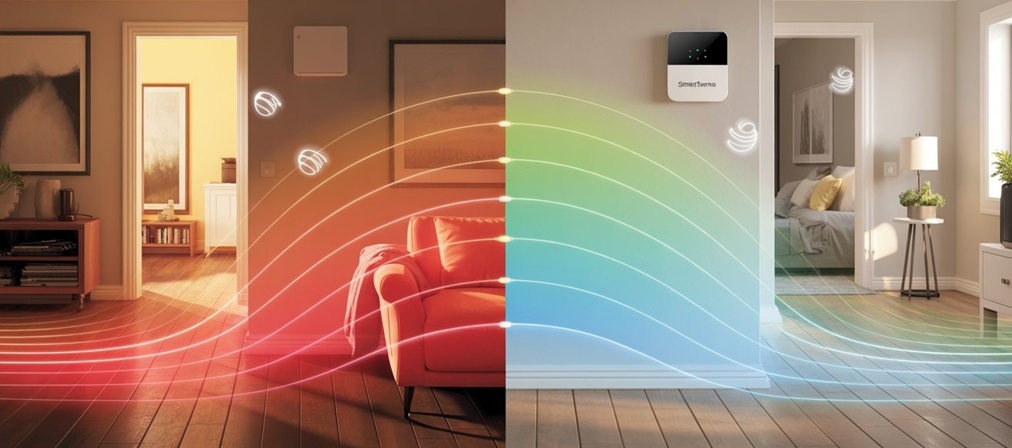
Room sensors are small, wireless devices placed in multiple areas of the home to detect temperature variations and occupancy patterns. Instead of relying on the thermostat’s built-in sensor—usually located in a single room—these additional sensors ensure balanced heating and cooling throughout the home by providing real-time data to the thermostat.
How They Work Together
- Room sensors collect temperature and occupancy data from different rooms.
- The smart thermostat processes sensor input and adjusts the HVAC system accordingly.
- The system eliminates uneven temperature zones, ensuring that each room is heated or cooled based on actual usage.
- Advanced thermostats optimize energy consumption, reducing unnecessary heating or cooling in unoccupied spaces.
Why Room Sensors Improve Heating and Cooling Efficiency
- Eliminates hot/cold spots by balancing temperature across multiple rooms.
- Reduces energy waste by ensuring heating/cooling only in occupied areas.
- Provides personalized comfort—different rooms can have different temperatures based on individual preferences.
- Enhances smart home automation, allowing for integration with voice assistants and scheduling features.
This section lays the foundation for understanding the importance of smart thermostats and room sensors in creating an energy-efficient, comfortable living space.
Differences Between Smart Thermostats, Wi-Fi Thermostats, and Wireless Thermostats
Understanding the differences between smart, Wi-Fi, and wireless thermostats is essential when choosing a system that aligns with your home’s layout, connectivity, and energy-saving goals. Each type offers unique capabilities, and knowing how they compare can help you make an informed decision.
Smart Thermostats
Smart thermostats represent the most advanced category. These devices utilize machine learning algorithms to study your daily routines, preferences, and occupancy patterns. They automatically create personalized heating and cooling schedules to maximize efficiency and reduce energy use.
- Connect via Wi-Fi, enabling remote access and smart home integration.
- Compatible with Google Assistant, Alexa, and Apple HomeKit for voice control.
- Provide energy usage reports and adaptive automation.
🔹 Examples:
- Google Nest Learning Thermostat
- Ecobee Smart Thermostat Premium
Wi-Fi Thermostats
Wi-Fi thermostats allow for remote control via smartphone apps, letting you adjust settings from anywhere. While they support scheduling, they don’t learn your behavior automatically like smart thermostats.
- A constant internet connection is required for full functionality.
- Offer manual programming and voice assistant compatibility.
- Ideal for users who want remote control but not AI automation.
🔹 Examples:
- Honeywell T9
- Sensi Touch 2
Wireless Thermostats
Wireless thermostats differ from wired thermostats in that they do not require a wired connection to the HVAC system. They communicate using RF (Radio Frequency), Zigbee, or Z-Wave and are typically paired with a receiver installed near the heating/cooling unit. These thermostats often do not depend on Wi-Fi, making them great for homes with limited internet access.
- Provide flexible installation without wall wiring.
- Common in homes with boiler-based heating systems.
- Require a dedicated receiver for system communication.
🔹 Examples:
- Hive Active Heating
- Heatmiser NeoStat
Comparison Table
| Feature | Smart Thermostats | Wi-Fi Thermostats | Wireless Thermostats |
|---|---|---|---|
| Connectivity | Wi-Fi + AI automation | Wi-Fi only | RF/Zigbee/Z-Wave |
| Learning Capabilities | ✅ Adaptive AI scheduling | ❌ Manual programming only | ❌ Manual scheduling |
| Internet Required | Yes | Yes | No |
| Remote Access | Yes (via app) | Yes (via app) | No (unless integrated into a hub) |
| Receiver Required | No | No | ✅ Yes |
| Best For | Smart home users, energy-conscious homes | Users wanting remote access | Homes needing flexible installation |
The top 5 smart thermostats with room sensors in 2025
1. Ecobee Smart Thermostat Premium
Why It Stands Out
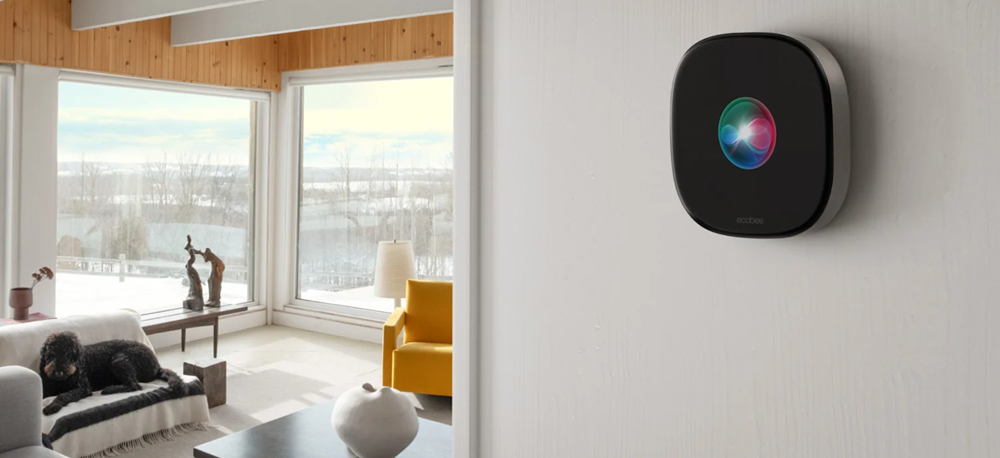
This thermostat is more than just a temperature controller—it’s a multi-functional smart home hub. It combines climate control, air quality monitoring, voice assistant integration, and even home security features into one sleek device.
- Built-in Air Quality Monitoring: It tracks indoor air quality in real time, alerting you to pollutants and offering tips to improve it. It even reminds you when to change your air filter.
- Smart Room Sensors: The included SmartSensor detects both temperature and occupancy, allowing the thermostat to prioritize comfort in the rooms that matter most.
- Voice Assistant Support: With Alexa and Siri built-in, you can control your thermostat, play music, or even make intercom-style announcements—all hands-free.
Ideal For
- Homeowners who want full automation: It learns your schedule, adapts to your habits, and adjusts settings automatically.
- Energy-conscious users: With features like eco+, energy use is reduced during peak hours and when no one is home.
- Smart home enthusiasts: It integrates with Apple HomeKit, Google Assistant, Alexa, SmartThings, and IFTTT, making it one of the most versatile thermostats available.
Bonus Features
- SmartSensor included: The box includes one sensor, and you can add up to 32 more for full-home coverage.
- Security integration: It doubles as a home security base station, with features like smoke alarm detection and freeze alerts when paired with Ecobee’s Smart Security system.
- Premium design: A 4-inch glass touchscreen, zinc trim, and radar-based occupancy sensing make it as stylish as it is smart.
2. Google Nest Learning Thermostat (4th Gen)

Why It Stands Out
The 4th Gen Nest Learning Thermostat is a major leap forward in both design and intelligence. It features AI-powered learning that studies your daily habits and automatically builds a personalized heating and cooling schedule. Over time, it fine-tunes your comfort settings while helping you save energy, without you lifting a finger.
- Adaptive Comfort & Eco Modes: These new features adjust your temperature targets based on ambient conditions and occupancy, ensuring comfort when you’re home and savings when you’re not.
- Dynamic Farsight Display: A sleek, borderless screen shows useful info like temperature, weather, or time from across the room.
- Matter Support: It now works with Apple HomeKit, Alexa, SmartThings, and other Matter-compatible platforms, making it more versatile than ever.
Ideal For
- Google Home users who want seamless integration and voice control.
- Design-conscious homeowners who appreciate the polished look and intuitive interface.
- Anyone seeking automation without the need for constant manual adjustments.
Bonus Features
- Nest Temperature Sensor included: Place it in any room to prioritize comfort where it matters most—like a nursery or upstairs bedroom.
- No C-wire required: Installation is easier for older homes without a common wire.
- Energy Shift with Nest Renew: Automatically shifts energy use to cleaner or cheaper times of day.
- System Health Monitoring: Alerts you to potential HVAC issues before they become costly problems.
3. Honeywell Home T9 Smart Thermostat

Why It Stands Out
The Honeywell Home T9 is a feature-rich smart thermostat designed to deliver customized comfort across multiple rooms. What sets it apart is its long-range Smart Room Sensor, which can detect both temperature and motion up to 200 feet away. This allows the T9 to prioritize heating or cooling in the rooms that matter most—whether that’s your bedroom at night or the living room during the day.
- Multi-Room Focus: You can add multiple sensors and choose to average temperatures or focus on specific zones, ensuring balanced comfort throughout your home.
- Geofencing Technology: The T9 uses your smartphone’s location to determine when you’re home or away, automatically adjusting the temperature to save energy without sacrificing comfort.
- Smart Response® & Humidity Control: It learns how long it takes to heat or cool your home and adjusts accordingly, while also managing humidity levels for a more comfortable environment.
Ideal For
- Larger homes with multiple floors or rooms that experience uneven temperatures.
- Families with varying comfort needs in different areas of the house.
- Users who want automation without sacrificing manual control or app-based scheduling.
Bonus Features
- Voice Assistant Compatibility: Works with Amazon Alexa, Google Assistant, and Apple HomeKit, allowing for hands-free control.
- Full-Color Touchscreen: Easy-to-use interface with intuitive scheduling and room prioritization.
- Energy Star® Certified: Helps reduce energy bills while maintaining comfort.
- Resideo App Integration: Offers remote access, scheduling, and sensor management from anywhere.
4. Amazon Smart Thermostat

Why It Stands Out
The Amazon Smart Thermostat is a standout for one big reason: value. Priced around $80, it delivers core smart features without the premium price tag. Designed in collaboration with Resideo (makers of Honeywell thermostats), it offers reliable performance, Alexa integration, and remote control via the Alexa app—all while being one of the most affordable ENERGY STAR® certified options on the market.
- Alexa-Driven Automation: While it doesn’t have built-in voice control, it pairs seamlessly with Echo devices to enable hands-free temperature adjustments.
- Smart Scheduling with Alexa Hunches: Alexa can automatically adjust the temperature based on your routines, like lowering it when you leave home or raising it before you return.
- Energy Monitoring: The thermostat provides basic usage reports, helping you track and reduce energy consumption over time.
Ideal For
- Budget-conscious users who want smart control without the bells and whistles.
- Alexa households are looking to expand their ecosystem with a thermostat that’s easy to install and manage.
- First-time smart home users who want a simple, intuitive entry point into automation.
Bonus Features
- Simple DIY Installation: The Alexa app walks you through setup, though a C-wire is required (adapter sold separately).
- Compact, Minimalist Design: A clean, modern look that blends into most interiors.
- Rebate Eligibility: Many energy providers offer rebates or incentives for installing this model, making it even more affordable.
- Sensor Compatibility: While it doesn’t include external room sensors, it can use select Echo devices as temperature sensors, helping address hot or cold spots in your home.
5. GE Cync Smart Thermostat
Why It Stands Out
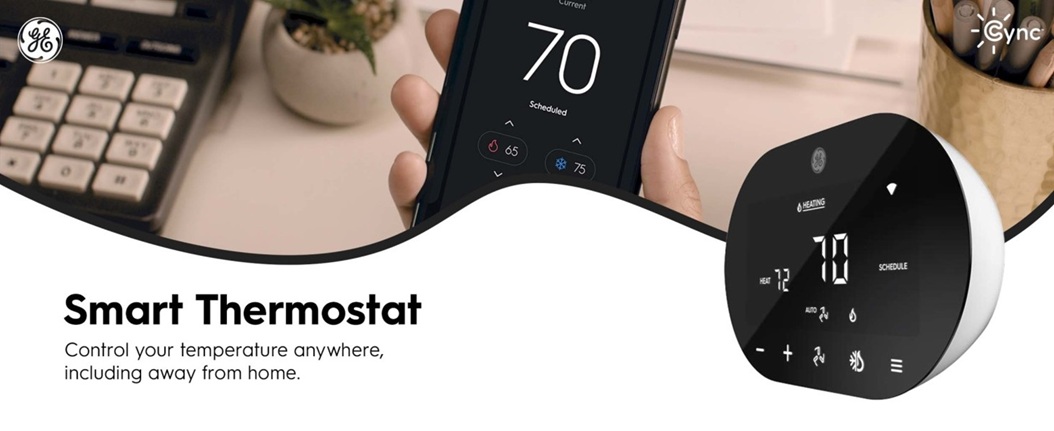
The GE Cync Smart Thermostat is designed for users who want straightforward smart control without the complexity of high-end automation. It offers a clean, intuitive interface, easy DIY installation, and reliable performance for everyday use. Wi-Fi connectivity allows remote temperature control via the Cync app and supports voice commands through Google Assistant and Alexa.
- Custom Scheduling: Set personalized heating and cooling schedules to match your daily routine.
- Eco Mode: Helps reduce energy usage when you’re away, contributing to lower utility bills.
- Room Sensor Compatibility: Add optional Cync Room Temperature Sensors (sold separately) to fine-tune comfort in specific rooms.
Ideal For
- Users who want simplicity without sacrificing smart functionality.
- Renters or homeowners looking for a thermostat that’s easy to install and manage.
- Google Assistant or Alexa users who want voice control without a steep learning curve.
Bonus Features
- C-wire Adapter Included: Makes installation easier, even in homes without a common wire.
- Energy Star® Certified: Meets energy efficiency standards to help reduce heating and cooling costs.
- On-the-Go Control: Adjust your home’s temperature from anywhere using the Cync mobile app.
- Sleep-Friendly Automation: Pair with Cync smart bulbs and sensors to create bedtime routines that adjust lighting and temperature together.
Real-World Reviews & User Experiences
Ecobee Smart Thermostat Premium
Users consistently highlight the smart room sensors as a standout feature, allowing for precise temperature control in occupied rooms. Reviews from PCMag and Tom’s Guide praise its air quality monitoring, built-in Alexa, and energy-saving automation. While it’s on the pricier side, many users feel the long-term savings and comfort justify the cost.
Google Nest Learning Thermostat (4th Gen)
This model earns high marks for its AI-driven learning, which adapts to user habits and creates efficient schedules. According to Tom’s Guide and PCMag, users appreciate the sleek design, Matter support, and remote room sensor. It’s especially favored by those already in the Google Home ecosystem.
Honeywell Home T9
The T9 is praised for its long-range smart sensors, making it ideal for larger homes. Reviews from PCMag and ZDNet note its dual-band Wi-Fi, geofencing, and easy installation. Users enjoy the multi-room focus and energy usage reports, though some wish it had deeper integration with other Honeywell smart devices.
Amazon Smart Thermostat
A favorite among budget-conscious users, this thermostat is lauded for its affordability and Alexa integration. According to CNET and PCMag, it offers basic automation and remote control, but lacks room sensors and advanced learning features. It’s a great entry-level option for Alexa users.
GE Cync Smart Thermostat
Users appreciate its simple setup, clean interface, and voice control via Alexa and Google Assistant. Reviews from PCMag and TechGadgetCanada describe it as a no-frills thermostat that’s easy to use and ideal for those who want basic smart features without the complexity of AI learning or deep integrations.
User Testimonials & Case Studies
- A homeowner using the Ecobee Premium reported a 15% drop in energy bills after optimizing schedules with room sensors.
- A family with the Honeywell T9 noted improved comfort in upstairs bedrooms thanks to multi-room sensor prioritization.
- An Amazon Smart Thermostat user appreciated the Alexa “hunches” feature, which adjusted temperatures automatically when they left home.
Installation Guide for Smart Thermostats with Room Sensors
Step-by-Step Installation Process
- Turn Off the Power to the HVAC System
- Switch off the circuit breaker connected to your heating/cooling system to ensure safety.
- Remove the Old Thermostat
- Take off the thermostat faceplate and label the wires using the provided stickers or a photo.
- Unscrew the baseplate and gently pull the wires through.
- Install the New Thermostat Base
- Use a level to align the new baseplate.
- Mount it using the included screws and anchors.
- Connect the wires to the appropriate terminals (C-wire may be required for some models).
- Attach the Thermostat Display
- Snap the display onto the base.
- Restore power to the HVAC system.
- Connect to Wi-Fi and Configure Settings
- Follow the on-screen prompts or use the manufacturer’s app to connect to Wi-Fi.
- Set your preferred temperature schedule and enable smart features.
- Place and Pair Room Sensors
- Position sensors in key rooms (e.g., bedrooms, living areas) away from vents or direct sunlight.
- Pair them via the app or thermostat interface.
- Assign priority zones or occupancy-based control if supported.
Common Installation Mistakes & How to Avoid Them
- ❌ Skipping the C-Wire Check
- ✅ Use the compatibility checker or multimeter to confirm if a C-wire is needed.
- ❌ Incorrect Sensor Placement
- ✅ Avoid placing sensors near windows, radiators, or vents to ensure accurate readings.
- ❌ Not Turning Off Power
- ✅ Always shut off the power to avoid electrical hazards or damaging the thermostat.
- ❌ Loose Wiring Connections
- ✅ Double-check that wires are securely inserted and labeled correctly.
DIY vs. Professional Installation – Which is Better?
- DIY Installation
- ✅ Ideal for users comfortable with basic wiring and following app instructions.
- ✅ Most smart thermostats include step-by-step guides and video tutorials.
- ❌ It may be challenging if your system lacks a C-wire or has complex zoning.
- Professional Installation
- ✅ Recommended for homes with older HVAC systems, multi-zone setups, or no C-wire.
- ✅ Ensures optimal placement of sensors and thermostat configuration.
- ❌ Higher upfront cost, but often includes warranty support and expert calibration.
Energy Savings Comparison
How Smart Thermostats Reduce Energy Costs
Smart thermostats use a combination of AI-driven scheduling, geofencing, and occupancy detection to optimize heating and cooling. Unlike manual programming, these systems learn your habits and adjust temperatures automatically, lowering energy use when you’re away and maintaining comfort when you’re home.
Room sensors further enhance efficiency by:
- Targeting heating/cooling to occupied rooms only.
- Balancing temperature across zones to avoid over-conditioning.
- Reducing the runtime of HVAC systems by avoiding unnecessary cycles.
Comparison of Energy Savings Across Different Models
| Thermostat Model | Estimated Energy Savings | Key Efficiency Features |
|---|---|---|
| Ecobee Smart Thermostat Premium | Up to 26% annually | SmartSensors, eco+ optimization, occupancy detection |
| Nest Learning Thermostat | 10–12% heating, 15% cooling | AI learning, Home/Away Assist, seasonal savings |
| Honeywell Home T9 | ~15–20% (varies) | Geofencing, multi-room focus, humidity control |
| Amazon Smart Thermostat | ~10–15% with Alexa Hunches | Basic automation, energy-saving incentives via utilities |
| GE Cync Smart Thermostat | ~8–12% (entry-level) | Manual scheduling, basic room sensor support |
Estimated Annual Savings for Homeowners
| Annual HVAC Bill | Estimated Savings (10–26%) |
|---|---|
| $1,200 | $120 – $312 |
| $1,800 | $180 – $468 |
| $2,400 | $240 – $624 |
These savings depend on your home’s insulation, climate, and how well you use the thermostat’s features. But even conservative use can lead to noticeable reductions in utility bills over time.
Best-Fit User Profiles – Which Smart Thermostat is Right for You?
Choosing the right smart thermostat isn’t one-size-fits-all. Based on features, performance, and user priorities, here’s a quick guide to help you match the perfect model to your needs:
✅ For Tech Enthusiasts – Google Nest Learning Thermostat
If you love automation and want a thermostat that adapts to your lifestyle, Nest is for you. Its AI-driven scheduling, motion sensing, and sleek design make it ideal for users who enjoy cutting-edge tech and minimal manual input.
✅ For Budget-Conscious Users – Amazon Smart Thermostat
Want smart features without breaking the bank? This option offers basic scheduling and Alexa integration at an incredibly affordable price, perfect for those looking to enter the smart home space on a budget.
✅ For Large Homes – Honeywell T9
Equipped with long-range sensors and multi-room targeting, the T9 ensures even temperature control across sprawling spaces. Great for households with multiple zones and varying comfort needs.
✅ For Energy Savers – Ecobee Smart Thermostat Premium
Ecobee combines smart room sensors, AI scheduling, and detailed energy reports to help you cut heating/cooling costs without sacrificing comfort. Ideal for eco-conscious homeowners and data nerds alike.
✅ For Smart Home Integration – GE Cync Smart Thermostat
If you want something that plays well with your existing Google Assistant–powered setup, this model offers simple control, responsive voice integration, and compatibility with the Cync ecosystem.
FAQ
How do smart thermostats with room sensors work?
Smart thermostats receive real-time data from room sensors placed in different areas of the home. These sensors detect temperature and occupancy, allowing the thermostat to adjust heating and cooling based on where people are and what comfort level is needed in each room. This ensures more efficient climate control and even temperatures throughout the house.
Do room sensors improve energy efficiency?
Absolutely. Room sensors allow the thermostat to target heating/cooling only where it’s needed, minimizing unnecessary energy use in unoccupied or already comfortable rooms. This zone-based control often results in lower energy bills and more efficient HVAC usage.
Can I use third-party room sensors with my smart thermostat?
That depends on the brand. Most smart thermostats—like Ecobee and Honeywell T9—are designed to work only with their proprietary sensors. Some open ecosystems may allow integration through platforms like IFTTT, SmartThings, or Matter, but seamless operation is more likely with manufacturer-approved accessories.
Which smart thermostat is best for multi-room control?
The Honeywell T9 and Ecobee Smart Thermostat Premium are top choices. Both come with room sensors that support multi-zone control, allowing you to prioritize specific areas and maintain consistent comfort throughout the home, even across multiple floors.
Do smart thermostats require professional installation?
Many smart thermostats are DIY-friendly, especially if your HVAC system has a C-wire and standard wiring. However, professional installation is recommended for complex systems, homes without a C-wire, or when dealing with high-voltage configurations. Some brands even offer optional installation services during purchase.
Are smart thermostats worth the investment?
Yes—if you utilize their features. Smart thermostats can lead to 10–26% annual savings on energy bills through automation, scheduling, and intelligent occupancy detection. Combined with remote access and home integration, they add convenience and control, especially in homes with dynamic occupancy or diverse comfort preferences.
Conclusion
Smart thermostats with room sensors have reshaped the way we manage indoor comfort, combining intelligent automation, energy efficiency, and personalized climate control. From understanding how these devices work to comparing them across models like Ecobee, Nest, Honeywell, Amazon, and GE Cync, this guide has walked you through everything you need to make an informed choice.
Whether you’re driven by energy savings, smart home compatibility, or the desire for better comfort in large or unevenly heated spaces, there’s a model tailored to your needs. High-end options like Ecobee Premium and Nest Learning Thermostat offer advanced features and adaptability, while budget-friendly picks like Amazon Smart Thermostat or GE Cync ensure you don’t have to compromise convenience for cost.
As smart homes evolve, investing in a thermostat with room sensors isn’t just a luxury—it’s a smart step toward comfort, efficiency, and long-term savings. Use the comparisons, real-user feedback, and profiles outlined in this post to find the thermostat that truly fits your home and lifestyle.